

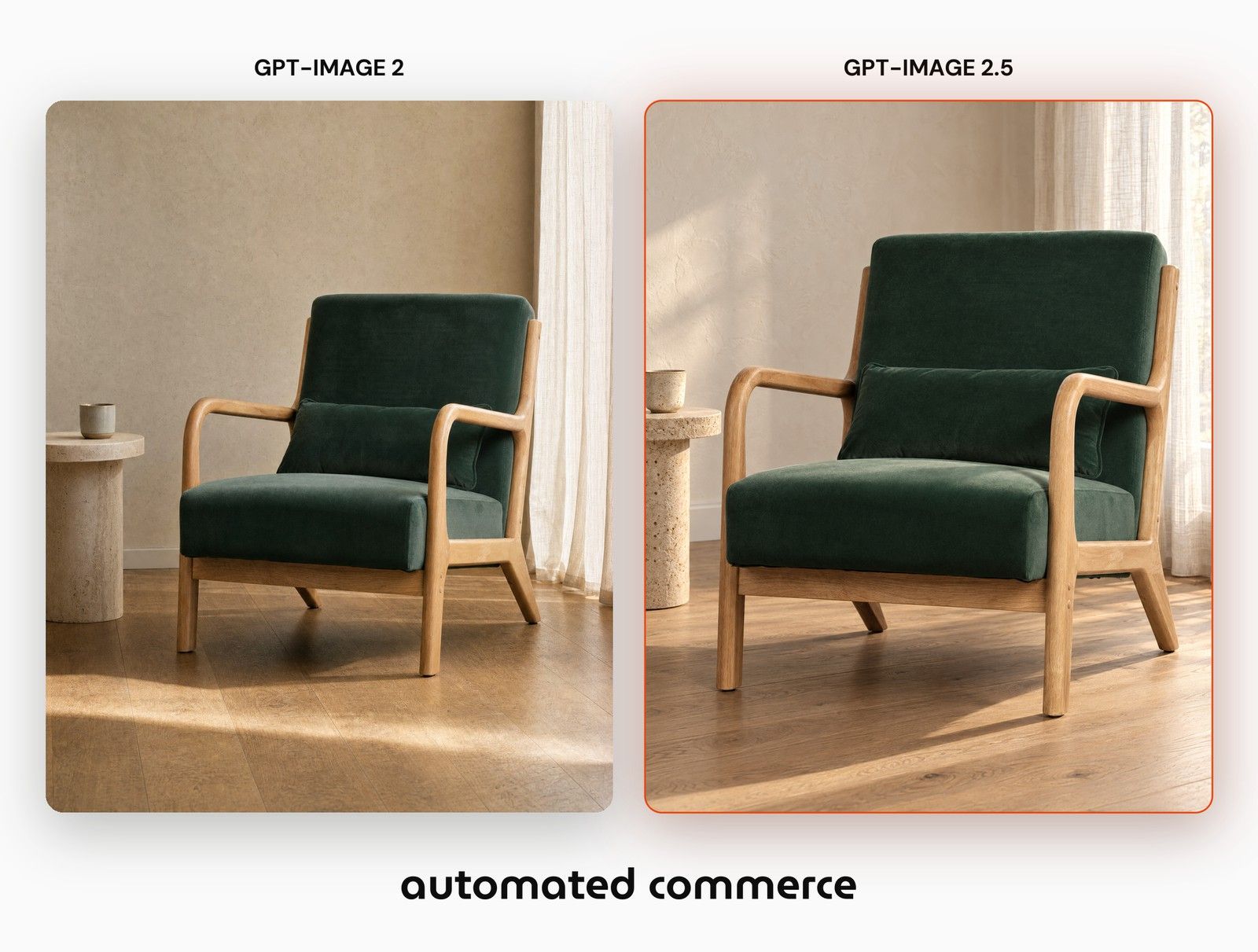
OpenAI released GPT Image 2.5 this month in two variants. The interesting part is not that it looks better. It is that it costs a quarter of what GPT Image 2 costs for the same job, which changes what you can afford to run across a whole catalog instead of your top twenty products.
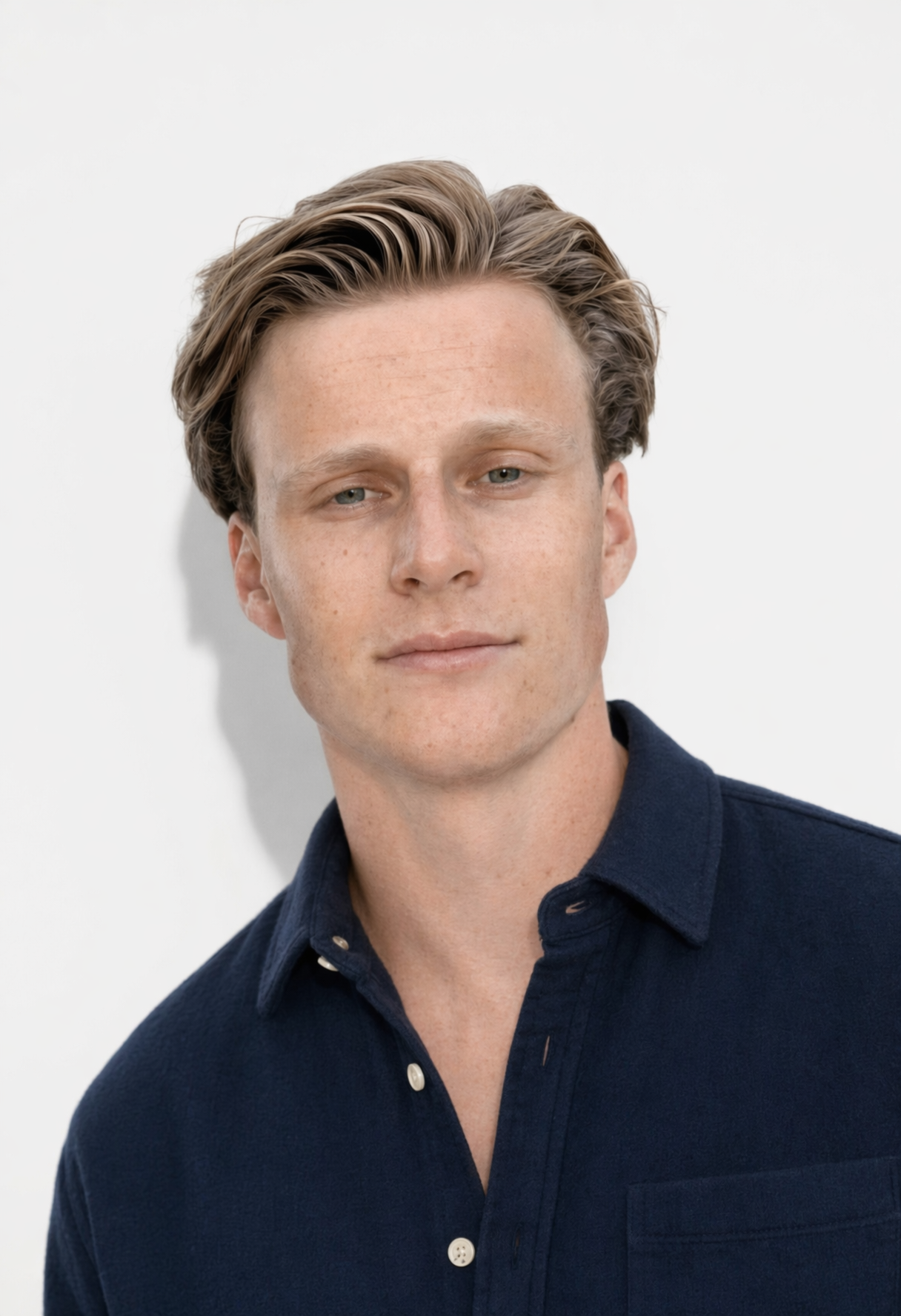
We ran both models against each other on four real retail catalogs: a furniture packshot, a fashion set frame, a menswear studio shot and a home product. Same input file, same prompt, four draws each, both models at their top quality tier. Here is what came out.
What OpenAI released
GPT Image 2.5 ships as two models, and the difference matters for how you route work.
Sunburst is the precision variant. Extra fidelity on intricate detail, in exchange for a slower render. This is the model for a scoped instruction: change the model in this frame, leave the set alone.
Flare is the default. Fast, high quality, natural light and rich texture. This is the model for volume generation where the brief is open rather than surgical.
Both run up to 3840x2160 and both cost 8 credits per image in Automated Commerce, against 31 credits for GPT Image 2 at the same size and quality tier. On raw provider cost that is USD 0.053 against USD 0.220 per image.
Why the price drop matters more than the quality bump
A quality improvement you can see in one image is a nice demo. A 75 percent cost drop is an operating decision.
Take a catalog of 400 products. Generating four draws per product so you have something to choose from costs 49,600 credits on GPT Image 2 and 12,800 on GPT Image 2.5. The same budget that covered 100 products now covers the catalog.
Every wave of retail tooling has had this moment. Product feeds were a specialist job until they were not. Mobile optimisation was a project until it became the default. The shift is never the feature. It is the point where the cost drops far enough that you stop rationing it to hero products.
What we measured
A model that looks good in one picture is not the same as a model that follows a brief four times out of four. So we measured obedience, not beauty.
The furniture test gave both models the same framing instruction, taken from a measurement of the brand's own lifestyle photography: build the chair so it fills about three quarters of the frame width. The brand's own photograph sits at 0.73. GPT Image 2 came back at 0.56 to 0.59 across four draws. GPT Image 2.5 came back at 0.76 to 0.81.
The fashion test asked both models to swap the person in a finished set frame and leave the walnut panelling behind her untouched. The wall has straight vertical grain and hard panel seams, so it has a signature you can correlate against the original file. GPT Image 2 scored 0.87 to 0.91. GPT Image 2.5 scored 0.93 to 0.95. The ranges do not overlap. GPT Image 2 quietly repainted the set while it was changing the model.
The menswear test looked like a tie until we measured the framing. Three of GPT Image 2's four draws held the shot. The fourth walked the camera back and returned a full length figure at 60 percent of the width asked for. All four GPT Image 2.5 draws sat inside a 0.016 band.
That fourth draw is the real risk in catalog work. One image in four that quietly reframes your product does not look like a failure. It looks like variety, until four hundred of them are live.
Where GPT Image 2.5 loses
On the home product, GPT Image 2 held the brand grey almost exactly, a colour difference of 1.1 against the packshot. GPT Image 2.5 warmed it to 4.9. Part of that is physics, because a warm room warms the thing standing in it. Part of it is drift.
If colour is the thing your brand protects, that is a real cost and it belongs in the comparison. GPT Image 2.5 won the same test on material: the fleece piping stayed a curly loop trim instead of flattening into a cord, the melange fleck survived, and the light had direction.
A comparison that only lists wins is marketing. The loss is what makes the rest of the numbers worth trusting.
How to pick a model without guessing
The method matters more than this week's winner, because there will be another model next month.
Run the same input file through both models. Give both the same prompt, the same output size and each model's top quality tier, so the cost line stays honest. Take four draws from each, not one, because one draw tells you nothing about consistency. Then measure the output against the brand's own photography rather than against your taste.
This is exactly the problem Automated Commerce is built around. Product imagery is catalog data, and catalog data has to be right on the four hundredth item as reliably as on the first.
What you can do now
The practical protection is structural. If your image generation lives in a workflow, moving your catalog to a new model is one swap in one place.
Three things worth doing in the week any model lands:
- Benchmark it against the model you run today, on your own products, not on the vendor's demo images.
- Route per use case, because infographics, people and product consistency are three different jobs and rarely have the same winner.
- Keep generation modular, so a model swap is a configuration change instead of four hundred prompts rewritten.
Both GPT Image 2.5 variants are live in Automated Commerce today. How would you know, this week, whether the model generating your product imagery is still the right one?